Skip to content
BLD Coach
Blindfolded speedcubing

BLD Coach

Your Blindfolded Cubing Training Coach

A blindfolded solve is two skills sharing one time. BLD Coach times memorisation and execution separately, treats DNFs as data rather than gaps, and keeps the commutators you need within reach while you’re still holding the cube.

In closed testingAndroid & iOS planned
BLD Coach timer screen after a completed solve, showing a total of 20.02 seconds split into 10.01 seconds of memorisation and 10.01 seconds of execution, with Success, plus-two and DNF buttons
Why BLD Coach?

A cube timer measures one number. Blindfolded solving has two.

Every general speedcubing timer records a single time per solve. That number cannot tell you whether an attempt was slow because the memorisation was slow or because the execution was. For a BLD solver, that is the only question that matters.

An ordinary cube timer

  • One time per solve
  • No idea whether memo or execution was slow
  • DNF is a missing row in the data
  • Averages assume every attempt succeeds
  • Algorithms live in a browser tab or a PDF
  • Sessions are a flat list of times

BLD Coach

  • Memo, execution and total, recorded separately
  • Your bottleneck is a number, not a guess
  • Success and DNF rates are core statistics
  • Averages alongside success rate, so both are honest
  • Old Pochmann, M2 and 3-Style, searchable in the app
  • Named sessions with independent statistics and goals
Features

Built for blindfolded solving, not adapted to it

Every screen here is the Version 1.2 app, captured from the app's own UI rather than illustrated.

Features
The core difference

Separate memo and execution timing

A BLD solve is two different skills wearing one time. Memorising a scramble and executing it blind fail for different reasons and improve at different rates. BLD Coach times them separately, so you can see which half is actually holding you back.

  • Tap to start memo, tap again to begin execution, tap to stop
  • Every solve stores memo, execution and total independently
  • Live Mo3 and Ao5 while you are still solving
  • Success, +2 and DNF logged per attempt
  • WCA-standard 20-move scramble generator
  • Manual entry and editing for solves done away from the app
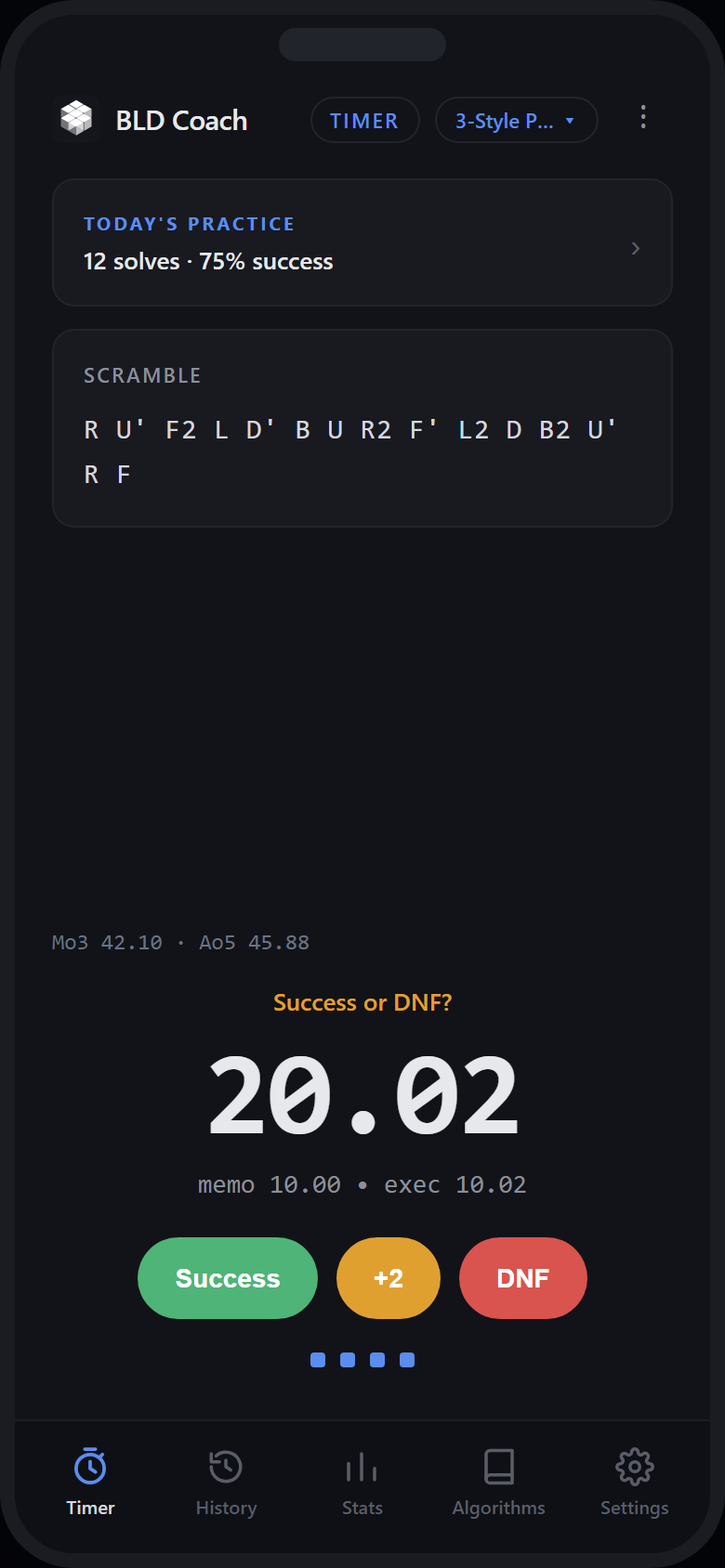
BLD Coach timer screen after a completed solve, showing a total of 20.02 seconds split into 10.01 seconds of memorisation and 10.01 seconds of execution, with Success, plus-two and DNF buttons
Statistics

Statistics built for blindfolded solving

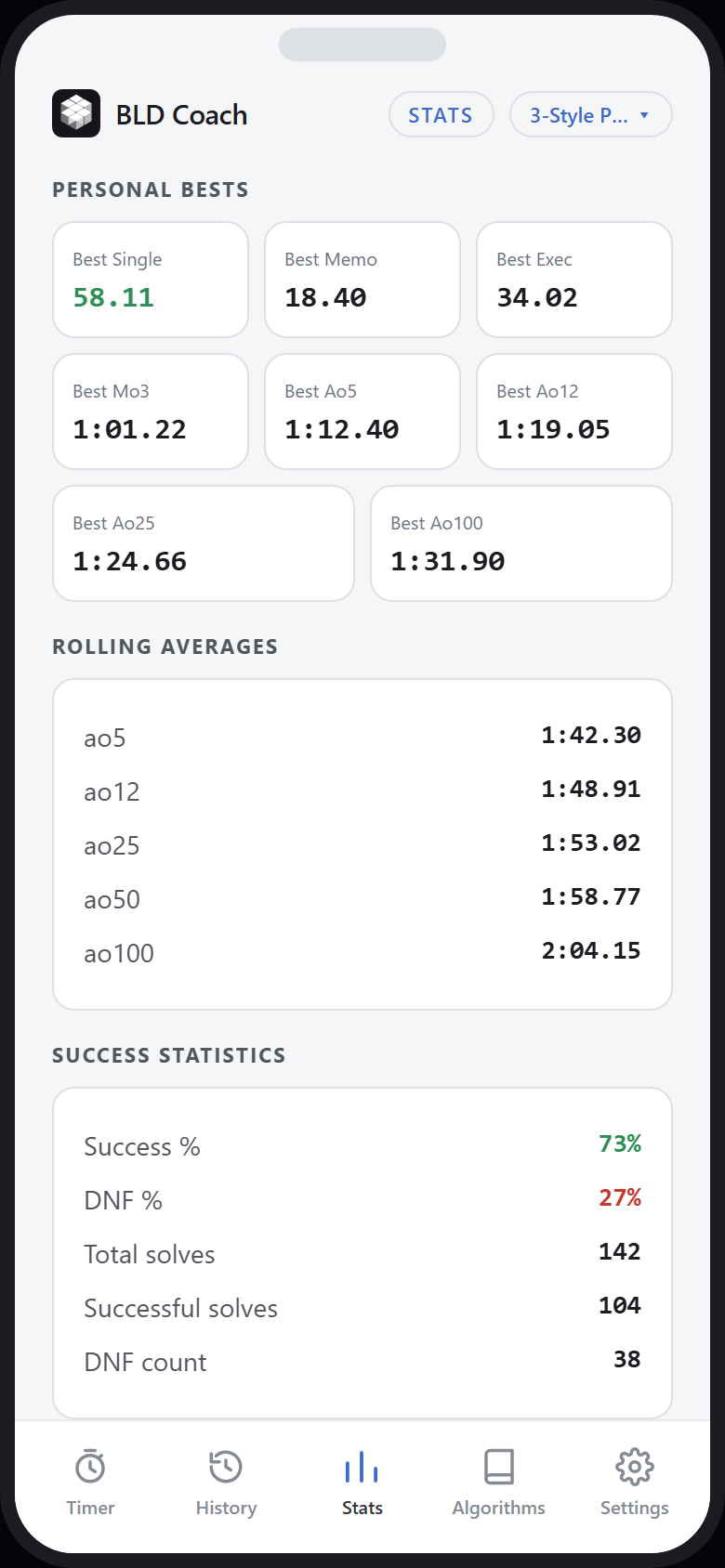
Averages that assume every attempt succeeds are close to useless in BLD, where a DNF is a normal outcome rather than a disaster. BLD Coach tracks success and DNF as first-class numbers, and trends memo against execution so progress is visible over weeks.

  • Rolling Ao5, Ao12, Ao25, Ao50 and Ao100
  • Best-ever Mo3, Ao5, Ao12, Ao25 and Ao100
  • Success rate and DNF rate
  • Personal bests for single, memo and execution
  • Memo, execution and total trend charts
  • Time-of-solve distribution histogram
BLD Coach statistics screen showing personal bests, rolling averages from Ao5 to Ao100, success and DNF rates, and a memo trend chart
Training sessions

Practice in named sessions

Learning M2 and drilling 3-Style for a competition are different projects, and averaging them together hides both. Sessions keep each one separate, with their own statistics and optional targets.

  • Named sessions with their own independent statistics
  • Per-session icon and colour
  • Optional training goals: solve count, success count, success rate
  • Target memo and total times, practice duration, completion date
  • Switch sessions from the timer without losing context
  • Move solves between sessions in bulk
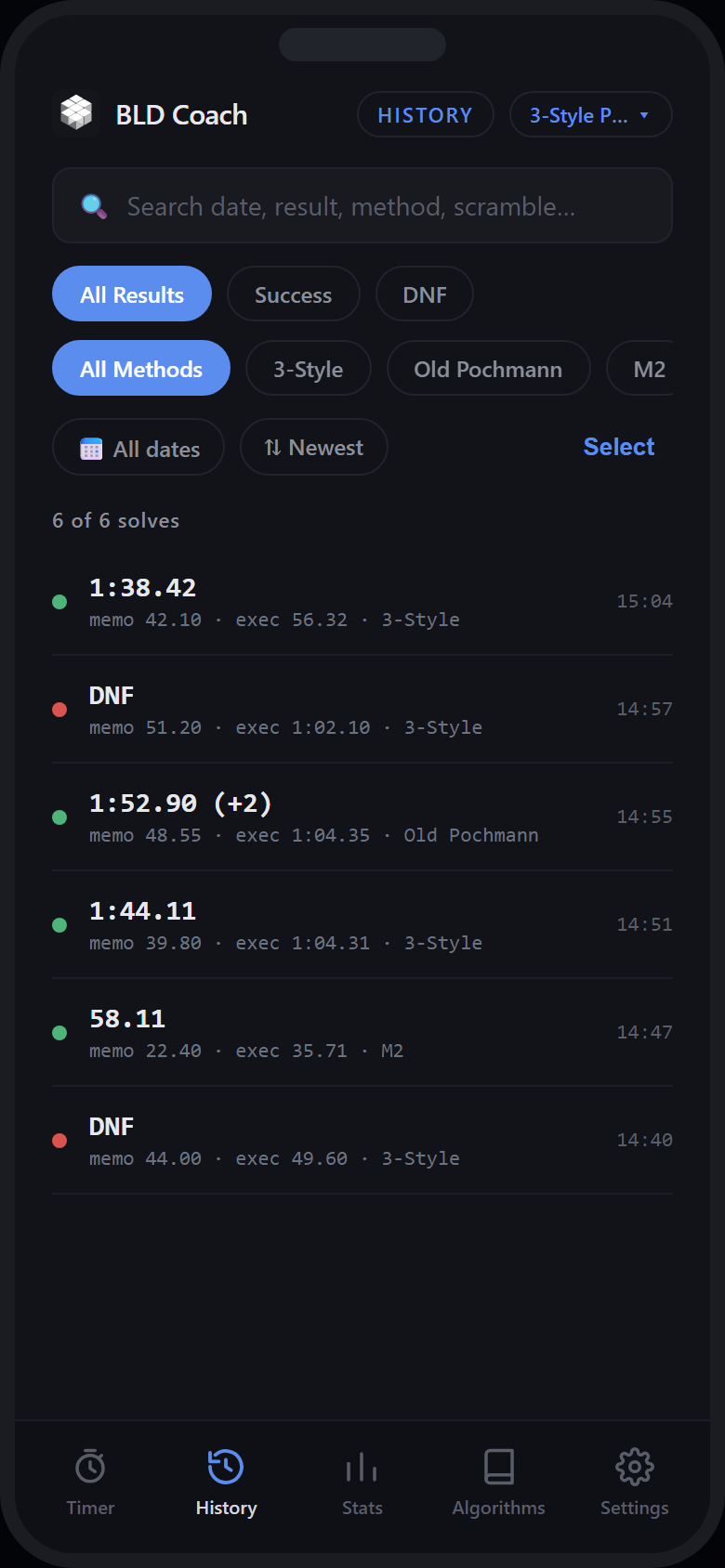
BLD Coach history screen listing past solves with memo, execution and total times, filtered by result and method
Algorithm library

The commutator you need, mid-practice

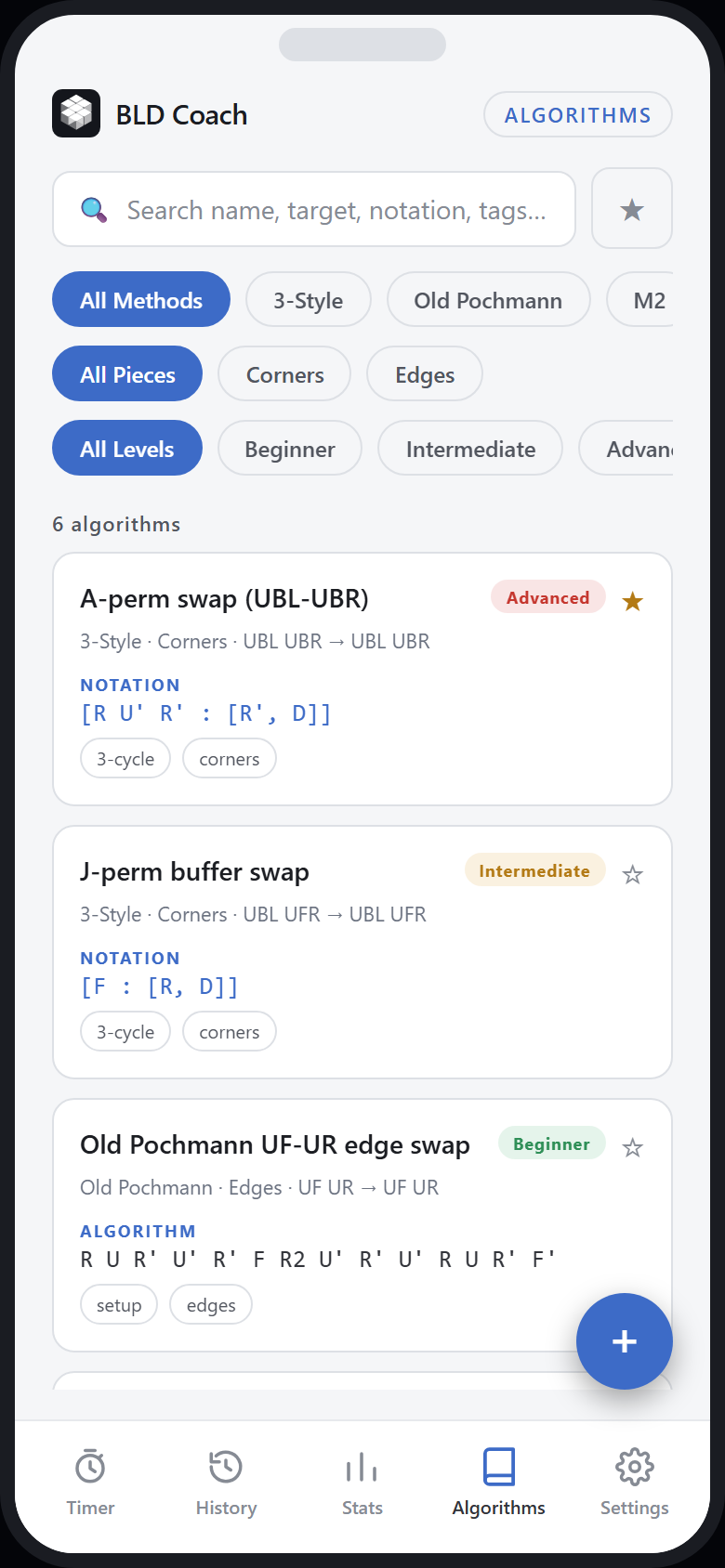
Reference sheets for the three methods people actually use, searchable while you are still holding the cube — plus room for the algorithms you have worked out yourself.

  • Old Pochmann, M2 and 3-Style commutators
  • Filter by method, piece type and difficulty
  • Search names, targets, notation and tags
  • Add your own algorithms alongside the built-in library
  • Favourite the ones you are drilling
  • Personal notes on any entry
BLD Coach algorithm library showing Old Pochmann, M2 and 3-Style commutators with search, method and difficulty filters
History & analysis

Every solve, searchable

A practice log is only useful if you can interrogate it. Filter down to the attempts you care about — every DNF on M2 last week — and correct anything you mis-logged.

  • Full log with memo, execution, total and method per solve
  • Search including scramble text
  • Filter by result and method, sort by date
  • Edit, duplicate or delete any solve
  • Bulk delete and bulk move between sessions
BLD Coach history screen listing past solves with memo, execution and total times, filtered by result and method
Your data

Import, export, and a real backup

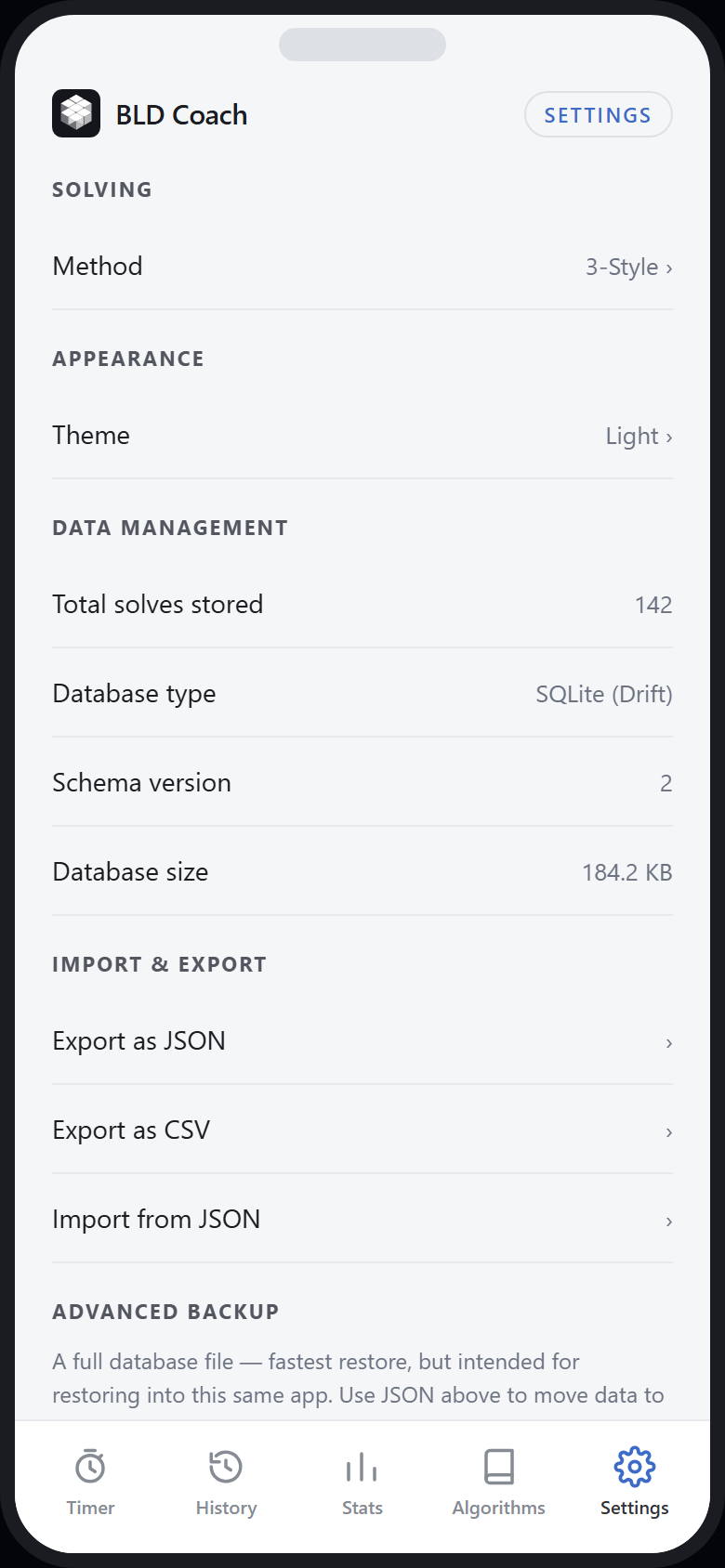
Your practice history is yours. It lives on your device, and you can take it out in a portable format at any time — no account required, nothing to sign into.

  • Export to JSON or CSV
  • Import from JSON
  • Full database backup and restore
  • Stored locally on the device in SQLite
  • No account, no sign-in, no cloud dependency
BLD Coach settings screen showing method and theme preferences, local database details, and JSON, CSV and database backup options
Roadmap

What isn't built yet

Listed so you can judge whether BLD Coach is heading where you need it to. Nothing here is available today, and nothing here is a commitment.

Roadmap
Coming soon

Algorithm trainer

Spaced-repetition drilling for commutators, so the library becomes practice rather than reference.

Coming soon

AI Coach

Personalised practice recommendations derived from your own solve history — where your time is going, and what to drill next. AI is an addition to the app, not what the app is.

Not yet available

Cloud sync

Solves, sessions and algorithms synchronised across devices. The data model was designed for this from the start.

Not yet available

Memo palace builder

A tool for planning and reusing memory palace routes and letter schemes.

Not yet available

MBLD

Multi-blind as a distinct solving mode, with its own scramble, timing and scoring model.

Not yet available

Additional themes

More colour themes beyond the current Light and Dark, and a wider session icon picker.

Questions

Frequently asked

Frequently asked questions
What is blindfolded speedcubing?
You inspect a scrambled cube, memorise its state, then put on a blindfold and solve it without looking. The attempt is timed from first inspection to final turn, and it either succeeds or is a DNF — there is no partial credit. Solvers use letter or image schemes to memorise piece positions, then apply algorithms to swap pieces in a fixed order.
Who is BLD Coach for?
Cubers learning blindfolded solving for the first time with Old Pochmann or M2, intermediate and advanced solvers using 3-Style who want to see their memo and execution split, and competitors preparing for WCA events who need session statistics.
How is this different from a normal cube timer?
General speedcubing timers record one time per solve. That single number cannot tell you whether a slow attempt was slow memo or slow execution, and most timers treat a DNF as a gap in the data rather than a meaningful result. BLD Coach records memo, execution and total separately, and treats success and DNF rates as core statistics.
Does it support Old Pochmann?
Yes. Old Pochmann is one of the three built-in methods, with its own algorithm reference, and it can be set per solve and per session.
Does it support M2?
Yes. M2 is fully supported as a method, including its algorithm reference sheet and parity cases.
Does it support 3-Style?
Yes. 3-Style commutators for corners and edges are included, filterable by piece type and difficulty, and you can add your own commutators to the library.
Can I import and export my data?
Yes. You can export to JSON or CSV, import from JSON, and take a full database backup that can be restored later. There is no lock-in.
Does it work offline?
Yes. Everything runs on the device against a local database. There is no account and no network requirement for timing, statistics or the algorithm library.
Is the app available yet?
Not publicly. BLD Coach is in closed testing while the feature set settles. Request early access and we will contact you when a build is available for your platform.
Will it be on Android and iOS?
Both are planned. The app is built in Flutter from a single codebase, so Android and iOS releases are intended. Public availability will be announced once testing is complete.
What is coming next?
An algorithm trainer for spaced-repetition drilling, an AI Coach that recommends practice based on your own history, cloud sync across devices, a memo palace builder, MBLD support and additional themes. None of these are available today.
How much will it cost?
Pricing has not been decided. The current thinking is a free tier covering the timer, scramble generator and core statistics, with a paid unlock for the deeper training features — but nothing is fixed, and early testers will hear before anything changes.

Try it while it’s still being shaped

BLD Coach is in closed testing. Tell us which method you solve and which platform you use, and we’ll be in touch when there’s a build for you.